We all forget.
Now your crew can stop calling you all day.

The job goes in by voice and photo — materials, hours, plans, who said what. Then anyone asks WorkUte for the detail they need, and it's there. Loaded, and it doesn't forget.

We'll email you once — the day it lands on the App Store and Google Play.

You're on the list. We'll be in touch.

That didn't send. Email tradie@workute.com and we'll add you.

Your subbies never download anything Built for Australian trades
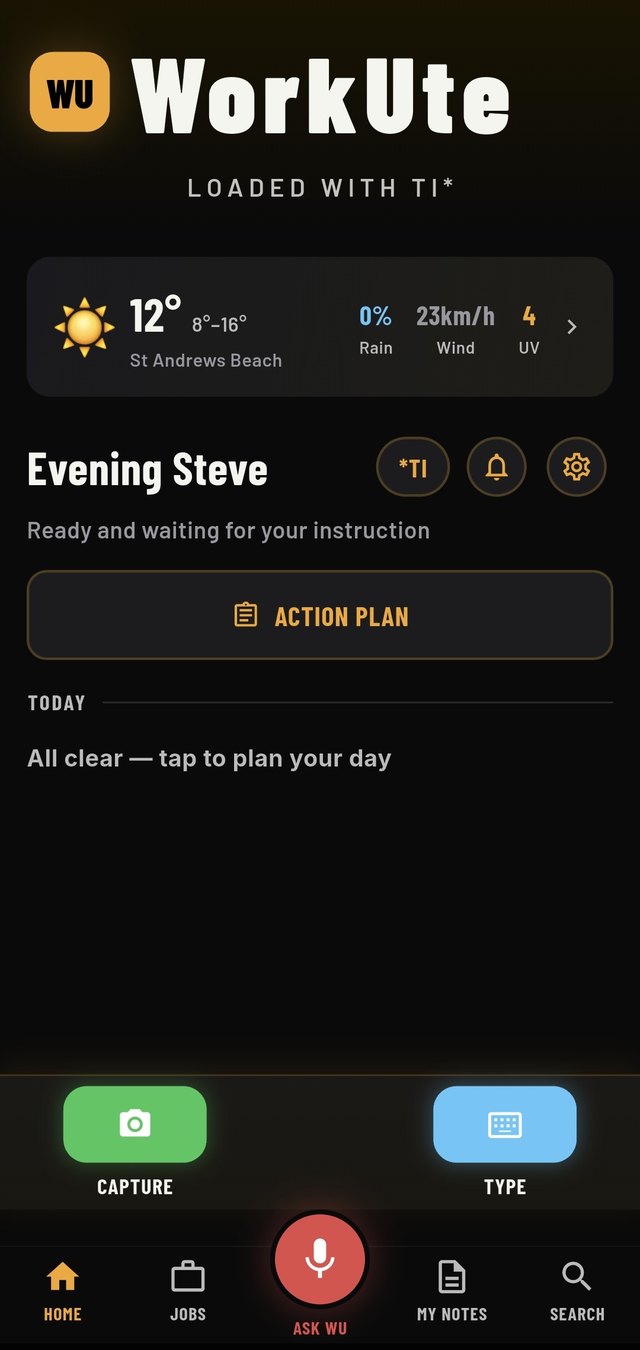
The WorkUte home screen on a phone: WorkUte wordmark, Loaded with TI, today's weather for the site, and Capture, Type and Ask WU buttons.
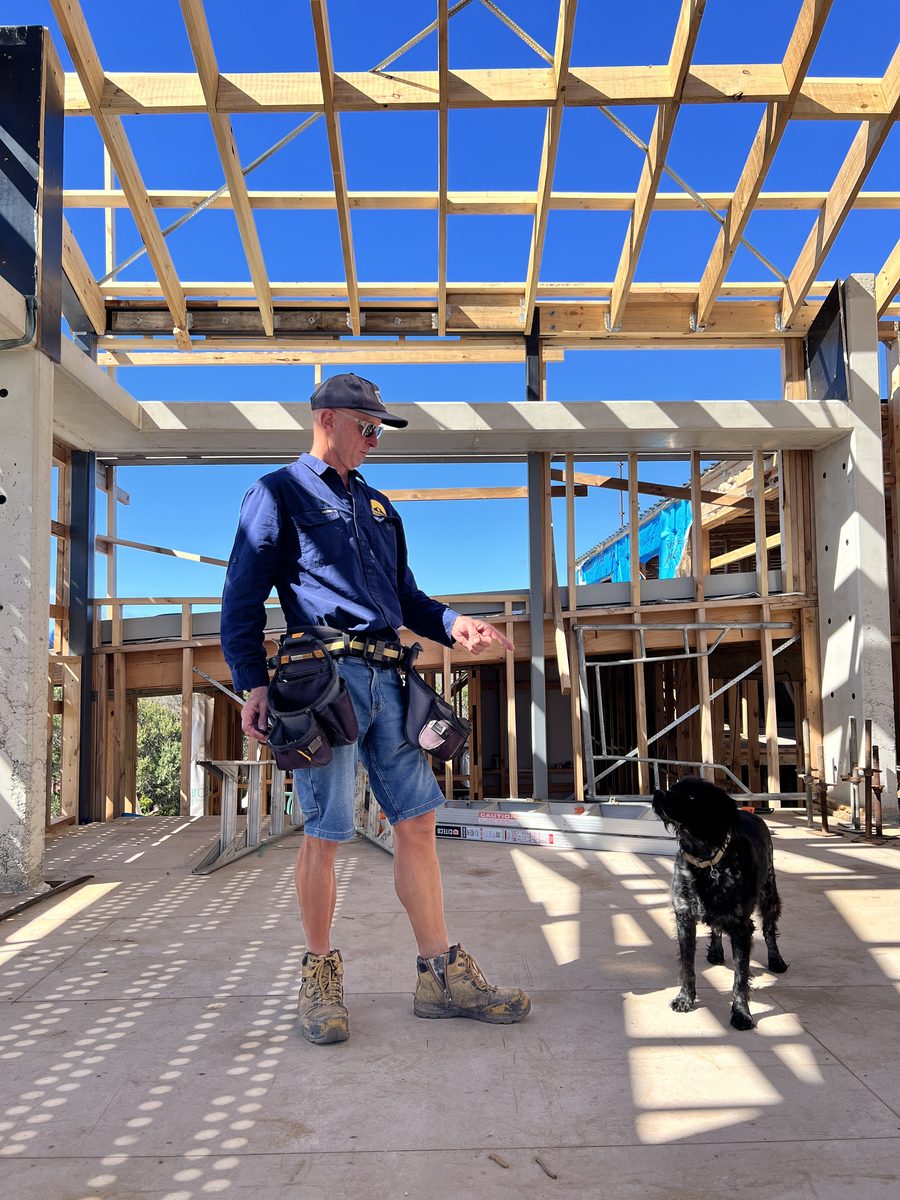
Steve on a residential build, standing under an exposed timber roof frame with his tool belt on and his dog beside him.

Why it exists

I built this for my own sites.

I'm a registered builder. WorkUte started because I was sick of carrying every job around in my head and losing the details that mattered — what the client said on site, what I needed at the supplier, why that wall got moved.

It's not a character flaw, it's just how many things a job throws at you in a day. So I built something that doesn't forget — an external brain for the job, and for everyone working on it.

There's more to it than fits on this page. I think it'll surprise you.

Steve Registered Builder  ·  WorkUte founder

Here's the surprise

Artificial Intelligence is great.
TI actually knows what a site looks like.

We call it Tradieficial Intelligence. You talk, it listens, and it works out what you meant — then files it where it belongs and hands it back the second anyone asks. It turns a photo into a to-do list, files it as a defect or a variation — whichever you call it — pulls up the relevant building Standard, and remembers exactly when the client changed their mind, so you can claim it later.

That's not general-purpose AI with a hard hat on.

WorkUte was built for one job — yours.

Free your mind. WorkUte can carry the load.

Show, don't explain

Anyone can see what you mean

Pin the exact spot on a photo, a plan or a spec and send it. Variations, defects, set-outs — briefed in seconds, to anyone, whether they use WorkUte or not.

The record

Every conversation, kept

Site conversations captured and transcribed. Job messages that stay attached to the job instead of scattered across texts. Years later it's still there.

Recall

Find it by saying it

Describe the photo and it finds it — no scrolling. Pull up plans, specs and Standards on the spot. Materials and hours logged as you go, exported to whatever you invoice with.

Talk, don't type

Show 'em what you want, get a green tick.
Relax a bit.

A photo, a pin on the exact spot, and your voice saying what you want. They get it first time. No app for them to download, nothing to log into, no "what did you mean by the bathroom thing." You stop the defect before it gets built in and costs you thousands.

1

Point your phone at it

No typing an address, no picking a job off a list. It works out which site you're standing on.

2

Say what you want done

Drop a pin on the exact brick, the exact junction, the exact spot. Talk instead of typing — nobody has to guess what you meant.

3

Send it to whoever's doing it

It goes as a text. They tap it and they're looking at your photo with your pins on it. No app, no login, no excuse.

4

Watch it go green

Ticked off as they go, with their photo of the finished work attached. You knew without ringing anyone.

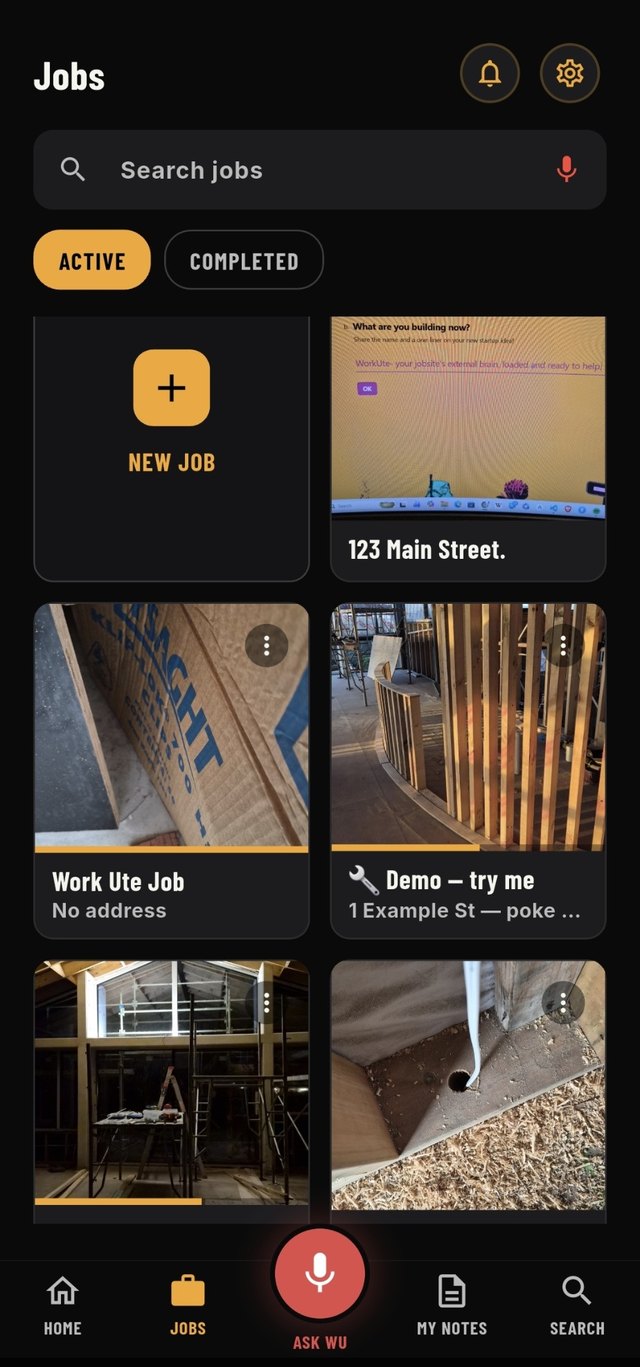
The WorkUte jobs screen: a grid of job cards, each showing a photo from that site.

Every job

You'll know it by the photo.

Jobs don't live in a list of addresses you have to decode. Each one shows a photo from that site, so you find the right job the way you'd recognise it driving past.

Open one and everything's under it — the tasks, the photos, the conversations, what got ordered, who did what. Still there in two years when someone asks.

Zero login

Your subbie doesn't download anything.

Ask the bloke on the tools to create an account, remember a password and learn an app, and he won't. So the job stalls and you end up ringing him anyway.

WorkUte sends a text with a link. They tap it, see their tasks with the photos and pins, tick them off as they go. No app. No account. No password to forget.

SB Constructions sent you 4 tasks at 14 Balmoral St Thornbury — workute.com/j/a7f3k9x2m1p8q4w6

Today 7:04 am

Watch it work

Ninety seconds, start to finish.

The morning briefing

Replace with demo video

Photo to subbie in 30 seconds

Replace with demo video

Finding it two years later

Replace with demo video

Pricing

One price. Everything in it.

Start with a free month. No card to begin, and you can cancel any time from your store account.

$449 per year  ·  or $45/month
  • Unlimited jobs, tasks and photos
  • Send to anyone — they don't need a login
  • Voice capture, materials lists and variations
  • Ask WorkUte, with answers saved to the job
One month free No card to start Cancel any time

Prices in AUD and include GST. Subscriptions are billed through the App Store or Google Play, renew automatically, and can be cancelled any time in your store account settings.

Questions

The ones we get asked.

Do my subbies need to buy it too?

No. You send the tasks, they tap the link in the text and see them in their browser. No app to download and nothing to log into.

Does it do quotes and invoices?

Deliberately not. WorkUte captures what actually happened on site and exports it cleanly so you can put it into whatever you already use for quoting and invoicing. It's built to sit alongside those tools, not replace them.

What does "Tradieficial Intelligence" actually mean?

It's the AI underneath, but built for how a tradie works rather than how software people think. Talk instead of type. It files things where they belong so you never have to. And it's honest when it doesn't know.

Who can see my job data?

You, the people you send tasks to, and nobody else. Anyone with a task link sees only the tasks you sent them. See the privacy policy for the full detail.

All the things you thought you'd remember but didn't.

WorkUte's got them.

In testing now. Get early access and we'll tell you the day it lands.

Get early access

Free month to start

Get early access